Synthesizer Reviews
Play the M-VAVE FM-1 Without Buying One: Phone, Browser and DAW Emulators
In this article
By TAM Staff. Play community FM-1 firmware without buying the pocket synth, using a browser, phone or DAW.
Firmware, not just imitation
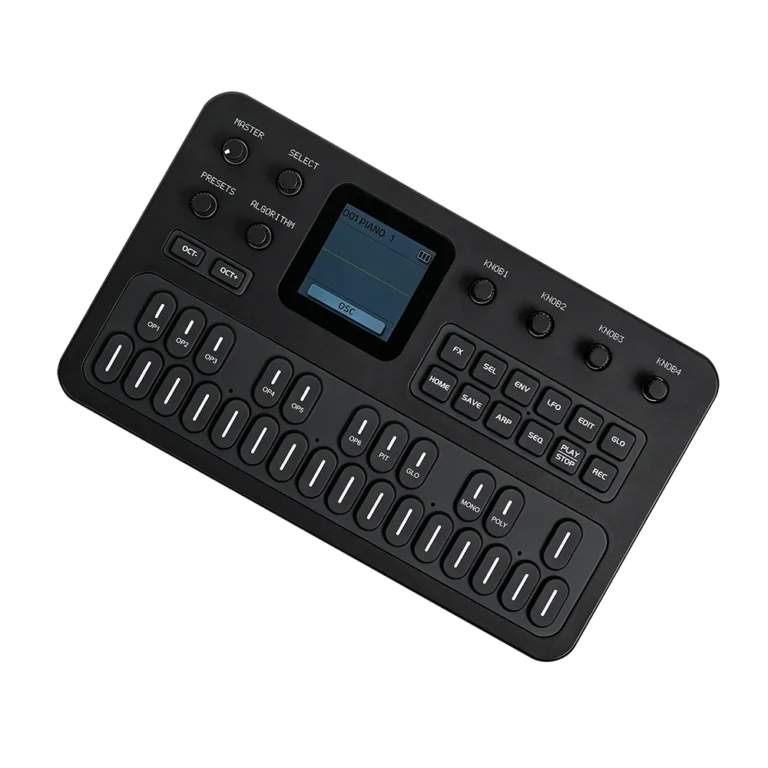
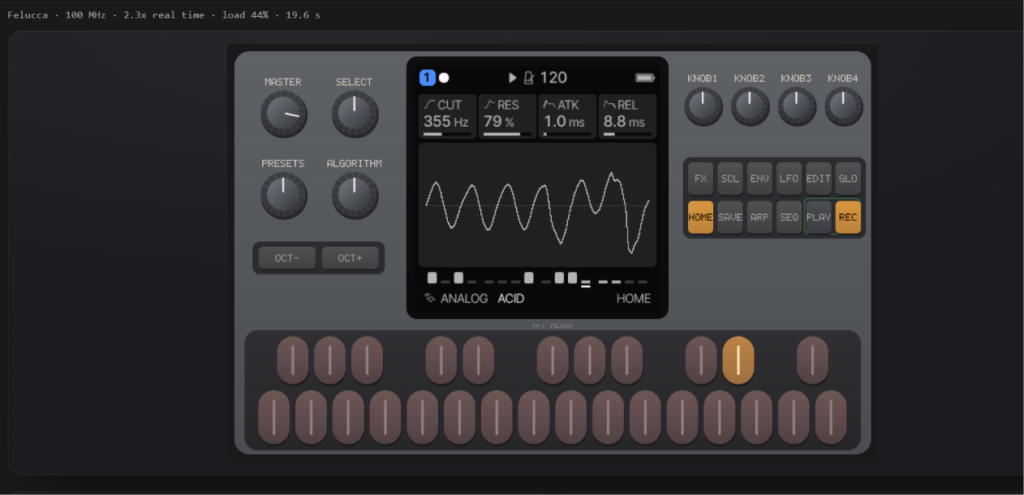
Joakim Eriksson’s open-source emulator recreates the FM-1 processor, display, keys, knobs and audio so compatible firmware can run unchanged. You can explore synths, grooveboxes, drum machines and generative instruments without the hardware.
Play the FM-1 online
Choose a firmware and press Start. Use the virtual keyboard, mouse, touchscreen or supported MIDI controller. Browser audio may require clicking first. For the complete interface or if this embedded player is restricted, open the emulator in a new tab.
FM-1 emulator by Joakim Eriksson and contributors, embedded by The Audio Magazine. The emulator software is MIT-licensed. Firmware belongs to its respective developers and may carry separate licenses.
Original M-VAVE firmware
The emulator does not redistribute M-VAVE’s stock firmware. Obtain an appropriate FM-1.fwsc package from the manufacturer and open it manually.
Android: Harbor
Harbor – FM-1 Synth Emulator, by Noah’s App Lab, is an Android option. Check its current Play Store availability and supported firmware.
iPhone and iPad: RemoteFM1
RemoteFM1 is described as an iOS TestFlight beta with standalone and AUv3 capabilities. We have not independently confirmed current beta access or host compatibility. Browser playback on iOS may also work, subject to Safari’s audio and MIDI limitations.
Desktop and DAW
The emulator project offers native desktop builds and plugin formats including AU, VST3 and CLAP, depending on platform and release. Consult the latest releases for installation details.
Saving and compatibility
The browser emulator preserves firmware flash changes locally and offers portable save exports. Save from within the firmware before exporting; clearing browser data can remove local saves. Running in an emulator does not prove a firmware is safe for every physical FM-1 revision.
What to try
Felucca explores synthesis, SLOOP pattern sequencing, FoMni chord playing and AMB-1 generative ambience. Bad Gear’s coverage offers a video perspective on the firmware phenomenon; find its firmware rundown on YouTube. The exact November 14 video has not been independently verified.
Read the companion FM-1 hardware and firmware guide.
Editorial note: The emulator is maintained by its developer, not TAM. This is a researched guide, not a hands-on test of the mobile apps.